
















What could a stronger result do to a rating average? Use this UTR rating calculator to explore a hypothetical weighted average. Change the assumed match rating and its weight, then compare the results. It is an educational scenario tool, not a prediction of your official UTR Rating.
Before you start
- A match score alone is not enough for this tool to calculate your next official rating.
- The assumed match rating is a scenario input—not your opponent’s rating.
- The game-percentage section explains your score; it does not determine the scenario result.
Jump to: How to use it · Worked example · Official methodology · FAQs
How to use the UTR rating calculator
- Enter a starting rating average. You can use your current rating as an illustrative starting point. The tool treats it as the average of the history you retain in this scenario.
- Choose a hypothetical new match rating. Try a number above, equal to, or below your starting average. This is an assumption you choose; the calculator does not infer it from your opponent or score.
- Set the retained-history weight. This controls how much influence the existing average has. The units are relative weights, not a count of matches.
- Set the new-match weight. A larger value gives your hypothetical result more influence.
- Compare scenarios. Save up to three examples to see how different assumptions change the average. Download the current scenario as a CSV if you want a record.
The sliders update the result immediately. Use the number fields for finer adjustments. Reset restores the example values; clear comparisons removes saved scenarios.
Your inputs stay in the page and are not submitted to a rating service.
A worked example: 6.00 becomes 6.10
Suppose your retained-history average is 6.00, with an assumed weight of 9. Add a hypothetical match rating of 7.00, with a weight of 1.
Scenario average = (6.00 × 9 + 7.00 × 1) ÷ (9 + 1) = 6.10
The new result supplies 10% of the total weight. Its rating is one point above the original average, so the average moves up by 0.10. This is a demonstration of weighted-average arithmetic.
It does not mean that beating a 7.00 player gives you a 7.00 match rating or raises your official rating by 0.10.
| History weight | New-result weight | Scenario average | Change |
|---|---|---|---|
| 3 | 1 | 6.25 | +0.25 |
| 9 | 1 | 6.10 | +0.10 |
| 19 | 1 | 6.05 | +0.05 |
Try these examples yourself. Keep the ratings fixed and increase only the history weight.
You will see why the same new value has less influence when the existing history carries more weight. None of these rows represents an official UTR match-count rule.
How does the official UTR Rating work?
UTR Rating puts tennis players on a 1.00–16.50 scale, across ages and genders. UTR Sports also distinguishes a Verified UTR Rating from a rating that can include self-reported results.
See its introduction to UTR Rating for those distinctions.
The official process assigns a match rating and a weight to eligible results. It uses a weighted average of up to 30 recent eligible matches within the past 12 months.
That makes a player’s rating a view of their recent match history, rather than the result of one match.
Read how UTR works for the governing explanation.
According to UTR’s calculation guidance, match performance considers the rating difference between players and the percentage of games won compared with expectations.
Match weights also depend on format, competitiveness, the reliability of the opponent’s rating, and time.
Why this tool does not promise your exact next UTR
The public guidance above does not provide the full numerical model needed to reproduce an official update.
This calculator does not have your eligible match history, the service’s match ratings, or its calculated weights. It also does not model aging, eligibility decisions, or older results leaving the calculation.
Instead, you supply explicit assumptions. The result answers a narrow, useful question: “What would this weighted average become if I added this hypothetical value?” To see your published rating, use your UTR Sports account.
What percentage of games did you win?
The optional game section uses a separate calculation: games won ÷ total games played × 100. If you win 6–4, 6–4, you won 12 games and lost 8. Your game share is 12 ÷ 20, or 60%.
That percentage describes the score. It is not a 60% chance of winning your next match, and this calculator does not turn it into a match rating.
A score cannot tell this tool how you performed relative to the official model’s expectations.
Enter game totals, not individual points. The section is intended for ordinary game totals; it does not implement official treatment of match tiebreaks, retirements, defaults, or incomplete matches. With zero games entered, it displays no percentage.
Use the result to ask better training questions
A scenario can show how averages behave, but your training plan needs observations from the court.
After a match, write down where you repeatedly lost points: return errors, short forehands, missed volleys, or difficulty recovering after a wide ball. Choose one pattern to work on before your next session.
For a practical starting point, explore Pongbot’s tennis forehand drills and tennis volley drills. Track a repeatable practice measure, such as how many balls reach your target area, alongside your match notes.
Build a repeatable practice session

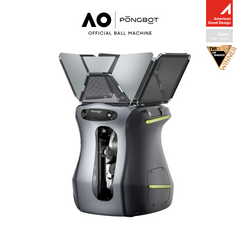
If you are considering equipment for solo practice, explore the Pongbot Pace S Pro and review its features for your training setup. Practice tools can support a routine; they do not guarantee a rating increase.
Explore more Pongbot calculators
Plan your equipment setup or explore another racket sport with these existing tools. Their outputs serve different purposes and should not be treated as UTR conversions.
UTR rating calculator FAQs
Can I calculate my exact UTR after a match?
This tool cannot. It shows a weighted-average scenario using assumptions you choose. Your official update depends on UTR’s calculation and eligible history.
Should I enter my opponent’s rating as the match rating?
No. The hypothetical match-rating field is an assumed performance value for the example. It is not an opponent-rating field. The tool does not calculate an official performance value.
Does a history weight of 9 mean nine matches?
No. Weights are relative units. Using 9 and 1 makes the new result one-tenth of the total weight. It does not assume nine official matches carry equal weight.
Will a win always move the scenario up?
The scenario rises when the hypothetical match rating is above the starting average and has positive weight. It falls when that value is below the average. A win or loss is not an input in this model.
Can I convert NTRP or WTN to UTR here?
No. This calculator does not provide a conversion between rating systems. Entering a number from another system would not make the output a valid UTR estimate.
Is this an official UTR Sports calculator?
No. It is an independent educational tool from Pongbot, not affiliated with or endorsed by UTR Sports.


