















Choose your calculation method: The redesigned widget opens in Elo scenario estimate mode. Its sliders update the result immediately. Select USATT points chart to use the chart explained in this guide.
Elo mode shows modeled expected win rate, actual win rate, performance rating, and K-factor. These are illustrative statistics, not official USATT or ITTF ratings. USATT chart mode hides the Elo-only statistics.
Quick answer: This table tennis rating calculator estimates your USATT chart points from your starting rating, your opponents’ ratings, and match results. In USATT chart mode it totals wins and losses against the same opponent rating. Your official post-event rating may differ after full processing.
You beat a stronger player, lose a close match, and finish the day with a winning record. Did your rating go up?
The answer depends on who you played. Use the calculator to see the points behind each result, then use the guide below to understand what the total does—and does not—tell you.
Key Takeaways
- Enter existing USATT ratings from the same event or date.
- Compare both possible outcomes by changing the win and loss counts.
- Every match uses your unchanged starting rating.
- The result is a chart estimate, not an official rating or a skill quiz.
How to Use the Table Tennis Rating Calculator
- Choose a method. Use Elo for a mathematical scenario or USATT chart mode for the points table below.
- Enter both ratings. Type a number or drag its slider. In chart mode, use actual existing USATT ratings.
- Set wins and losses. Total matches is calculated automatically. Every result is assumed to involve the opponent rating you entered.
- Review the live result. Expand the calculation explanation, save up to three comparison snapshots, or download a CSV.
If you have several different opponents, calculate each matchup separately. Using an average opponent rating is only an approximation in Elo mode and should not be used with the USATT chart.
The provisional checkbox only changes Elo sensitivity; it is not an official eligibility rule.
With no matches, the rating stays unchanged. Actual win rate and performance rating remain unavailable.
All-win or all-loss Elo samples use an illustrative performance endpoint of opponent rating plus or minus 400.
The USATT Rating Points Chart
The chart uses the absolute gap between two ratings. The winner gains the listed amount; the loser loses it.
The calculator uses this table from the USATT rating-system explanation (PDF).
| Rating gap | Higher-rated player wins | Lower-rated player wins |
|---|---|---|
| 0–12 | 8 | 8 |
| 13–37 | 7 | 10 |
| 38–62 | 6 | 13 |
| 63–87 | 5 | 16 |
| 88–112 | 4 | 20 |
| 113–137 | 3 | 25 |
| 138–162 | 2 | 30 |
| 163–187 | 2 | 35 |
| 188–212 | 1 | 40 |
| 213–237 | 1 | 45 |
| 238+ | 0 | 50 |
For equal ratings, either player’s win is worth eight chart points. Read the headers carefully: the second and third columns describe who wins, not separate rewards for the winner and loser.
Worked Example: Two Wins, One Loss
Imagine you start at 1500 and play three opponents. Calculate each matchup separately in USATT chart mode, keeping the starting rating fixed, then add the changes:
| Opponent | Your result | Gap | Your chart change |
|---|---|---|---|
| 1600 | Won | 100 | +20 |
| 1500 | Lost | 0 | −8 |
| 1400 | Won | 100 | +4 |
Net change: 20 − 8 + 4 = +16. Starting rating plus chart points: 1500 + 16 = 1516.
The widget’s default Elo example is different: a 1500 player with three wins and two losses against 1500 opposition gives a +16 model change. The same record in USATT chart mode gives +8. The method matters.
Notice that the second match still uses 1500 as your rating. This calculator does not quietly move you to 1520 after the first result.
It compares every row with the same baseline, making the arithmetic easy to audit.
Why Your Official Rating May Be Different
USATT announced revised processing for tournaments beginning on or after December 22, 2025. The update covers first ratings and adjustments for underrated players.
Its minimum initial rating for a first-time tournament player is 200; that is not a promise that every existing rating stays above 200. See the official rating-system update.
Full processing considers more than your own list of opponents. This tool only applies the chart to your entered ratings.
It flags published adjustment triggers without calculating the adjustment, and it excludes unrated players and existing ratings below 100.
Even after results appear, corrections can change rating totals. USATT notes that a correction can affect you without changing one of your own results.
Check the USATT ratings page for official lookup links and rating questions.
Use the estimate to understand a scenario. Use the published record and the organizer’s requirements when entering a rating-limited event.
USATT Ratings, Elo, and World Rankings
The label “table tennis rating” can refer to different systems. Before copying a number into any calculator, check where it came from.
- This USATT chart estimator: Uses the discrete table shown above. There is no user-selected K-factor.
- A generic Elo calculator: Is a different model. Its result depends on the formula and settings selected; it is not interchangeable with this chart.
- ITTF world rankings: Use a separate competition-points framework. The ITTF describes changes to its event points in its 2026 world-ranking update.
Do not combine a USATT tournament rating with a club’s independently calculated number. Similar-looking values are not enough to establish that two scales match.
Turn Your Results Into a Better Practice Plan
A points total tells you what happened in the model. Match notes help you decide what to practice.
After each match, write down one repeated problem. Be specific: “three missed backhand receives against short backspin” is more useful than “my backhand was bad.”
- Receive errors: Work with a partner on reading spin and controlling the first return.
- Late contact: Slow the feed and practice moving into position before swinging.
- Missed attacks: Start with one placement and a larger target, then add variation.
- Good drills, poor match results: Finish practice with scored points that begin with serve and receive.
Choose a suitable exercise from Pongbot’s table tennis drills guide. Track a simple measure—such as successful returns out of ten—alongside your match notes.
Those measures describe practice progress; they do not award rating points.
Build Repeatable Solo Practice

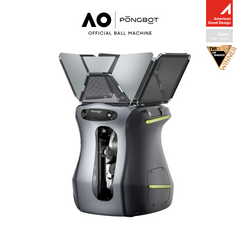
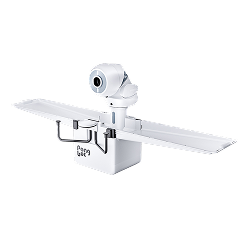
The Pongbot Nova S Pro table tennis robot offers customizable drills for solo repetitions. Use a predictable feed to work on one weakness, then return to partner practice to test your reading and decisions.
A robot is a practice tool. Its settings and your drill scores do not determine an official USATT rating.
Explore Nova S ProTable Tennis Rating Calculator FAQs
Can this calculator tell me my rating if I have never played a rated event?
No. It needs an existing rating to calculate chart changes. Do not treat a starting value borrowed from a friend or an online quiz as an official first rating. Follow the organizer’s process for unrated players.
Does winning 3–0 earn more points than winning 3–2?
This chart calculation uses the match outcome and rating gap, so those two wins give the same result with the same input ratings. The widget does not multiply points by the number of games played.
Why can a win produce zero chart points?
If you are at least 238 points above your opponent, the chart assigns zero to the higher-rated player’s win. Reverse that outcome and the lower-rated player’s win is worth 50 chart points.
Is the estimate a prediction of my chance to win?
Elo mode displays a modeled win probability from the two ratings. It does not account for form, health, or playing style. USATT chart mode does not estimate win probability.
Can I use this for a different national or club rating system?
Only if you are deliberately examining this USATT chart as a hypothetical model. For your actual competition, use its own rules and calculator. Do not relabel the output as an official result from another system.
What does an adjustment notice mean?
Your entered results meet a published trigger that can require a different baseline during official processing. The displayed total remains the unadjusted chart sum. A missing notice does not guarantee that tournament-wide processing will produce the same number.
More Free Pongbot Calculators
Play tennis or pickleball too? Explore these existing tools for those sports. Their ratings and measurements are separate from your table tennis rating.
Method checked September 24, 2026. This independent Pongbot tool is not an official USATT service.


