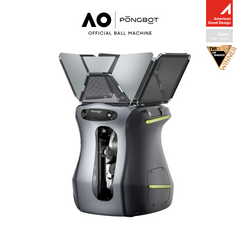
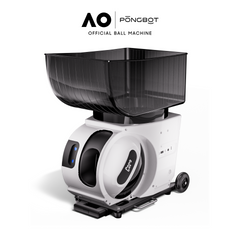
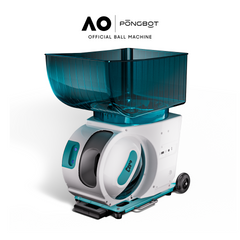
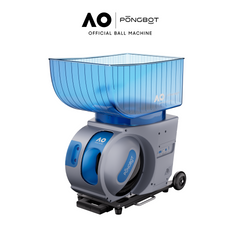
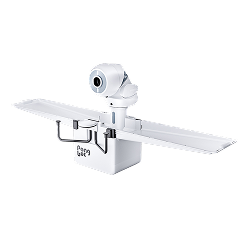
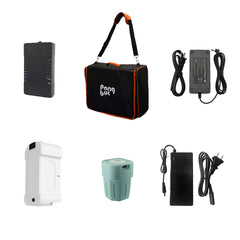
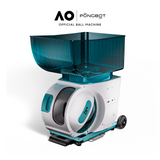
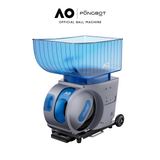
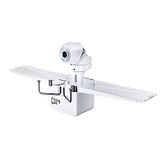
PONGBOT ping pong training robots provide repeatable feeds for focused solo practice. Adjust speed, spin, placement, frequency, and shot sequences to work on specific parts of your game.
The collection includes portable tabletop, clip-on, and floor-standing formats. This gives home players, competitive athletes, coaches, and clubs several ways to match a robot with their space and training goals.
The best model depends on where you play, how often you move the robot, and how much automation you want. Start with the setup style, then compare ball capacity, spin control, built-in drills, and recycling features.
Model
Best For
Setup
Ball Capacity
Built-In Drills
Control
Nova S Pro
Portable practice and flexible table placement
Compact tabletop robot
150 balls
264+
App and remote
Omni S Series
Long solo sessions with automatic ball recycling
Clip-on robot with collection net
250 balls
198+ on Plus and 522+ on Pro
App; touchscreen included with Pro
Halo S Pro
Advanced players, coaches, and clubs
Floor-standing robot with collection net
250 balls
702+
App and touchscreen
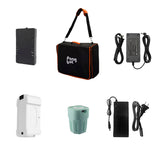
Use the product grid above to check current package options, pricing, and availability.
Choose by Skill Level and Training Style
A suitable robot should challenge your current skills without making every drill too difficult. Choose the format and controls that support how you practice now, with enough flexibility for future progress.
Beginners
Beginners benefit from consistent feeds, simple controls, and quick setup. A compact tabletop format makes it easier to practice basic forehand and backhand strokes without committing to a permanent installation.
Begin with predictable placement and a comfortable feed rate.
Use light topspin or backspin to learn racket-angle control.
Focus on balance and recovery before increasing speed.
Intermediate Players
Intermediate players often need more placement variation and longer training blocks. A clip-on system with ball recycling supports repeated footwork patterns while reducing breaks to collect balls.
Alternate forehand and backhand placement across the table.
Combine speed and spin changes in structured sequences.
Use preset drills, then adjust them around specific weaknesses.
Advanced Players and Coaches
Advanced training calls for varied spin, full-table placement, and programmable shot sequences. A floor-standing system also supports different feeding angles for match-focused drills and coaching sessions.
Build serve-return and third-ball attack patterns.
Program changes in spin, depth, direction, and tempo.
Use demanding routines for movement and recovery training.
What Can You Practice With a Ping Pong Training Robot?
A robot gives you repeatable feeds, so you can work on one movement before adding more speed, spin, or placement. It can support beginners learning clean contact and experienced players building consistency under pressure.
Forehand and backhand technique: repeat the same feed while checking stance, timing, and recovery.
Topspin and backspin returns: adjust spin to practice reading and controlling different balls.
Footwork patterns: alternate placement across the table and recover after every stroke.
Serve-return practice: use varied spin, speed, and short-ball placement to sharpen the first return.
Attack and defense transitions: combine several programmed shots in one custom drill.
Conditioning: set a steady frequency and practice maintaining form through longer sequences.
Start at a controllable pace and focus on clean movement. Increase one setting at a time so you know whether speed, spin, placement, or frequency is creating the challenge.
How to Choose a Table Tennis Robot
Look beyond the number of drills. The right ping pong training robot should fit your table, storage space, practice frequency, and preferred level of control.
Setup and Storage
Portable tabletop robots are easy to move and store. Clip-on systems suit a dedicated table, while floor-standing robots need more room but allow flexible positioning.
Speed and Frequency
Adjustable speed and feed frequency help you move from controlled technique work to faster rally practice. More speed is useful only when you can maintain sound form.
Spin Control
Multiple spin settings support practice against topspin, backspin, sidespin, and mixed-spin feeds. Fine adjustment becomes more valuable as your return skills improve.
Placement and Oscillation
Automatic placement creates movement across the table. Look for horizontal and vertical adjustment when footwork and changing ball depth are important goals.
Ball Capacity and Recycling
A larger capacity extends each practice block. An integrated collection net can recycle balls automatically and reduce interruptions during repetitive drills.
Controls and Custom Drills
App, remote, and touchscreen controls offer different levels of convenience. Custom programming lets you arrange several shots into a repeatable sequence.
Related Collections
Explore more PONGBOT training machines by sport and playing style.
Helpful Resources
Learn how table tennis robots work, what features matter, and how modern systems compare with traditional models.
Yes. Beginners can use a ping pong robot to receive consistent balls while learning stance, timing, and stroke mechanics. Start with low speed, light spin, and one predictable placement. Add variation only after you can recover comfortably between shots. A coach or experienced player can still help correct technique that repeated feeds alone cannot diagnose.
Can a table tennis robot improve your game?
A table tennis robot can improve repetition, consistency, footwork, and responses to programmed spin. Results depend on how you practice. Use clear goals, maintain proper form, and vary drills instead of hitting without a plan. Robot training works best alongside serves, match play, and practice with real opponents.
Which PONGBOT robot is best for home use?
Nova S Pro is a practical choice when portability and storage matter most. Omni S Series suits a dedicated home table when you want automatic ball recycling and fewer collection breaks. Halo S Pro offers the most drill variety and flexible floor placement, but it requires more room to store and operate.
Do these ping pong training robots create different spins?
Yes. Nova S Pro supports nine spin variations and reaches up to 60 r/s. Omni S Series and Halo S Pro support 360-degree spin. The Pro versions reach up to 100 r/s. Available adjustment levels vary by model, so compare the specifications before choosing.
Do I need a ball collection net?
A collection net is helpful but not required for every player. It catches and recycles balls during longer drills, reducing cleanup and interruptions. Omni S Series and Halo S Pro include integrated recycling systems. Nova S Pro prioritizes portability, with a compatible ball collection net available in selected packages.
Can I create my own drills?
Yes. These PONGBOT robots support custom training through their control systems. You can program shot settings such as speed, spin, placement, and trajectory, then save routines for repeat practice. The exact controls and available adjustment levels depend on the model.
Build a More Consistent Practice Routine
PONGBOT ping pong training robots turn an open table into a structured solo practice session. Choose Nova S Pro for portability, Omni S Series for clip-on recycling, or Halo S Pro for advanced floor-standing training. Compare the models above and select the setup that fits your space, skill level, and practice goals.
Your cart
Enter your email to receive exclusive offers and stay informed