


Popular searches
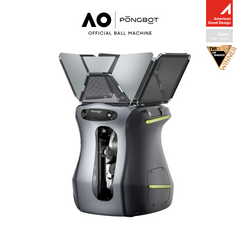
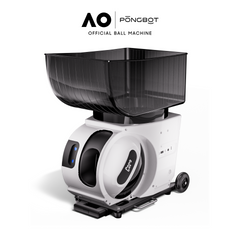
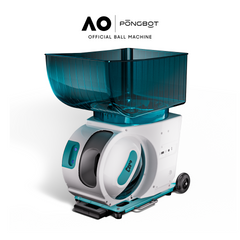
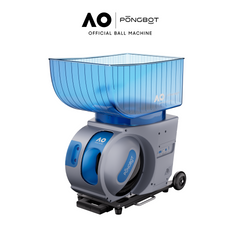

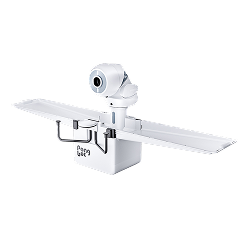


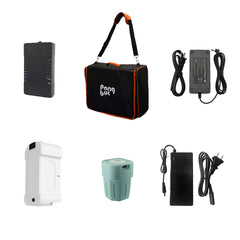
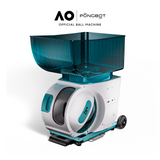
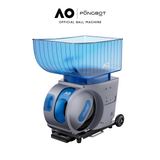

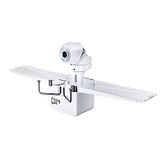


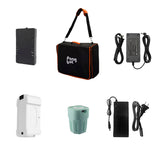
Table Tennis Robots
Hide filter
Sort by:
Clear all
Pace S Pro
$1,219.99 USD
Unit price
Regular price
$1,999.99 USD
Sale price
per
Options


Pace S Pro
$1,219.99 USD - $1,509.99 USD
Unit price
per
39%
OFF
Nova S Pro
$299.99 USD
Unit price
Regular price
$399.99 USD
Sale price
per
Options


Nova S Pro
$299.99 USD - $499.99 USD
Unit price
per
25%
OFF
Pace Series Dust Cover
$31.99 USD
Unit price
Regular price
$49.99 USD
Sale price
per
Color

Pace Series Dust Cover
$31.99 USD
Unit price
Regular price
$49.99 USD
Sale price
per
36%
OFF
Omni S Pro
$1,299.99 USD
Unit price
Regular price
$1,599.99 USD
Sale price
per
Option


Omni S Pro
$1,299.99 USD
Unit price
Regular price
$1,599.99 USD
Sale price
per
19%
OFF
Pace Series Accessories
$199.99 USD
Unit price
Regular price
$299.99 USD
Sale price
per
Options


Pace Series Accessories
$69.99 USD - $199.99 USD
Unit price
per
33%
OFF
Pace S
$999.99 USD
Unit price
Regular price
$1,699.99 USD
Sale price
per
Option


Pace S
$999.99 USD
Unit price
Regular price
$1,699.99 USD
Sale price
per
41%
OFF
Halo S Pro
$1,599.99 USD
Unit price
Regular price
$1,999.99 USD
Sale price
per
Option


Halo S Pro
$1,599.99 USD
Unit price
Regular price
$1,999.99 USD
Sale price
per
20%
OFF
Omni S Plus
$699.99 USD
Unit price
Regular price
$1,199.99 USD
Sale price
per
Option


Omni S Plus
$699.99 USD
Unit price
Regular price
$1,199.99 USD
Sale price
per
42%
OFF
New
AO Pace S Pro
$1,599.99 USD
Unit price
Regular price
$2,599.99 USD
Sale price
per
Options

AO Pace S Pro
$1,599.99 USD
Unit price
Regular price
$2,599.99 USD
Sale price
per
38%
OFF
New
Train With Purpose, Even Without a Practice Partner
PONGBOT table tennis robots deliver repeatable balls for technique, footwork, serve return, spin control, and conditioning. You can adjust speed, spin, placement, frequency, and shot order so every session has a clear purpose.
This collection includes portable tabletop, clip-on recycling, and floor-standing robots. Compare the formats below, then use the product grid above to confirm current packages, pricing, and availability.
Collection at a Glance
- Three setup formats: tabletop, clip-on, and floor-standing.
- Ball speeds from 2 to 15 m/s across the current lineup.
- Feed rates from 30 to 90 balls per minute.
- Ball capacities from 150 to 250 balls.
- App-based drill control, with remote or touchscreen options by model.
Compare PONGBOT Table Tennis Robots
Nova S Pro
- Format
- Tabletop
- Capacity
- 150 balls
- Preset drills
- 264+
- Placement
- Manual placement
- Best for
- Portable practice
Omni S Plus
- Format
- Clip-on, recycling
- Capacity
- 250 balls
- Preset drills
- 198+
- Placement
- Automatic placement
- Best for
- Long solo sessions
Omni S Pro
- Format
- Clip-on, recycling
- Capacity
- 250 balls
- Preset drills
- 522+
- Placement
- Automatic placement
- Best for
- Advanced clip-on drills
Halo S Pro
- Format
- Floor-standing, recycling
- Capacity
- 250 balls
- Preset drills
- 702+
- Placement
- Automatic placement
- Best for
- Flexible coaching setups
The right robot depends on where you play, how often you move the machine, and how much automation you want. Start with the setup style, then compare ball capacity, spin range, drill library, placement control, and recycling.
Nova S Pro: Portable Tabletop Training
Nova S Pro is the most portable option in the lineup. Its compact tabletop design weighs about 4 kg, holds 150 balls, and can be placed in different positions around the table, including near the net for short-ball and serve-return patterns.
- Best for home players, shared spaces, and training on different tables.
- 264+ built-in drills plus custom programming.
- Nine spin variations with a maximum spin rate up to 60 r/s.
- Ball speed from 2 to 15 m/s and frequency from 30 to 90 balls per minute.
- App and remote control; placement adjustments are manual.
Omni S Plus: Long Sessions With Automatic Recycling
Omni S Plus clips to the table and uses an integrated collection net to return balls to the robot. This format suits players who want longer repetition blocks without stopping often to gather balls.
- Best for dedicated home tables and high-volume solo practice.
- Holds about 250 balls and supports automatic recycling.
- 198+ built-in drills.
- 360-degree spin control with rates up to 80 r/s.
- Automatic placement adjustment through the app.
Omni S Pro: Deeper Drill Variety and Touchscreen Control
Omni S Pro keeps the clip-on recycling format but expands the drill library and control options. It is designed for players and coaches who want more complex patterns without moving to a floor-standing machine.
- Best for serious home practice, coaches, and training rooms.
- 522+ built-in drills and custom sequences.
- 360-degree spin with rates up to 100 r/s.
- App control plus the included E-Pad S touchscreen.
- About 250-ball capacity with integrated recycling.
Halo S Pro: Flexible Floor-Standing Training
Halo S Pro stands on the floor instead of clipping to one fixed point. It can be positioned behind or beside the table to create different feeding angles and more varied rally patterns.
- Best for advanced players, coaches, clubs, and teams.
- 702+ built-in drills with full custom programming.
- 360-degree spin with rates up to 100 r/s.
- Automatic horizontal, vertical, and side adjustment.
- About 250-ball capacity, integrated collection net, app control, and touchscreen.
All specifications should be checked against the current product page before purchase, since packages and included accessories may change.
Choose by Skill Level and Training Goal
Beginners
Beginners need predictable balls, comfortable timing, and simple controls. Start with one placement and a moderate feed rate so you can focus on stance, contact point, and recovery.
- Use light topspin or backspin before trying mixed-spin drills.
- Repeat forehands and backhands separately.
- Keep the first target large and away from the lines.
- Increase only one setting at a time.
Intermediate Players
Intermediate players benefit from longer patterns, placement changes, and structured footwork. A recycling system can reduce downtime during higher-volume sessions.
- Alternate forehand and backhand placement.
- Combine deeper balls with shorter feeds.
- Change spin or pace within a programmed sequence.
- Track target accuracy instead of counting total contacts.
Advanced Players and Coaches
Advanced practice should reproduce tactical situations and demand recovery between shots. Floor placement, faster spin changes, and custom sequences make it easier to build match-focused routines.
- Program serve-return and third-ball attack patterns.
- Create transitions between offense and defense.
- Use side placement to change incoming angles.
- Build conditioning blocks that preserve technique under pressure.
What Can You Practice With a Table Tennis Robot?
A robot is most useful when every drill has a defined goal. Repeat one movement until it is stable, then add speed, spin, placement, or a second shot.
- Forehand and backhand consistency: repeat the same feed while checking stance, timing, and recovery.
- Topspin and backspin returns: adjust racket angle and swing path against controlled spin.
- Footwork patterns: move between two or more placements and recover after every stroke.
- Serve return: use short, fast, spin-heavy, or near-net feeds to sharpen the first response.
- Third-ball attacks: connect a short return with a planned attacking ball.
- Defense and counterattack: combine fast topspin feeds with a change in depth or direction.
- Conditioning: set a steady frequency and maintain balance through a longer sequence.
Robot practice should sit alongside serves, match play, and sessions with real opponents. Repetition develops consistency, while live play builds reading, tactics, and response to deception.
Important Features to Compare
Setup and Storage
Tabletop robots are the easiest to carry and store. Clip-on systems suit a dedicated table and provide automatic ball return. Floor-standing robots need more room but offer flexible placement and feeding angles.
Ball Speed and Frequency
A wide adjustment range lets different players use the same machine. High speed is valuable only when timing and recovery remain controlled. Slower settings are often better for technical changes.
Spin Control
Spin type and spin rate determine how realistically a robot can reproduce topspin, backspin, sidespin, and mixed-spin balls. Fine control becomes more important for return training and advanced sequences.
Placement and Oscillation
Automatic placement saves time and supports repeatable footwork patterns. Manual placement can still be effective when portability and a lower setup footprint are more important.
Ball Capacity and Recycling
A larger hopper extends each block. An integrated collection net recycles balls automatically, while a portable robot may require a separate net or more frequent ball collection.
Controls and Drill Programming
App, remote, and touchscreen controls suit different training environments. Preset drills help you begin quickly, while custom programming lets you build sequences around a specific weakness or tactical goal.
How to Build a Productive Robot Session
1. Set One Objective
Choose a goal such as forehand consistency, short-ball recovery, or backhand opening against backspin. Avoid changing targets in the middle of the block.
2. Start Predictably
Use one placement, manageable spin, and enough time to recover. Record a baseline such as successful targets out of 20 balls.
3. Add One Challenge
Increase speed, widen placement, change spin, or shorten the interval. Adjust only one factor so you understand what caused the result.
4. Connect Two or Three Shots
Turn the isolated skill into a sequence. For example, return a short backspin ball, open with topspin, then recover for a wide follow-up.
5. Finish With Match-Like Variation
Use a preset or custom routine that changes direction and tempo. Keep the block short enough to maintain sound movement and decision-making.
Frequently Asked Questions
Are table tennis robots suitable for beginners?
Yes. A beginner can use slow, predictable feeds to learn stance, timing, and clean contact. Start with one placement and light spin. Coaching is still useful for correcting technique that repeated feeds cannot diagnose.
Can a table tennis robot improve consistency?
Yes, when the session has a clear goal and good form is maintained. Consistent feeds allow high-quality repetition, but improvement also depends on footwork, recovery, target selection, and regular live play.
Which PONGBOT robot is best for home use?
Nova S Pro suits players who need portability and easy storage. Omni S Series is a better fit for a dedicated table when automatic ball recycling matters. Halo S Pro offers the broadest drill variety and placement flexibility but requires more floor space.
Do I need a ball collection net?
Not always. A net is useful for longer sessions because it reduces cleanup and interruptions. Omni S Series and Halo S Pro use integrated recycling systems, while Nova S Pro prioritizes portability and can be paired with selected collection accessories.
Can I create custom drills?
Yes. PONGBOT robots support custom training through their control systems. The number of adjustable parameters and control options varies by model, so compare the live product specifications before choosing.
How fast should I set the robot?
Use the fastest setting that still allows balanced movement and clean contact. If timing breaks down or recovery becomes rushed, reduce the speed or increase the feed interval before continuing.
Can a robot replace match practice?
No. A robot is excellent for repetition and controlled patterns, but it does not fully reproduce human disguise, tactical choices, changing contact quality, or competitive pressure. Use it as one part of a complete training plan.
Choose the Robot That Fits Your Routine
PONGBOT table tennis robots support everything from compact home practice to advanced club training. Choose Nova S Pro for portability, Omni S Series for high-volume recycling, or Halo S Pro for flexible floor placement and deeper drill variety. Compare the models above and select the setup that fits your space, skill level, and practice goals.


